For a specific Activity see the page link.
Promotions
Read moreThe Activities menu holds the pages that maintain the data behind the reports. Most users will never need them; they are listed here so you know what they do and can tell whether a data question belongs to you or to your administrator.
6.1 Sites
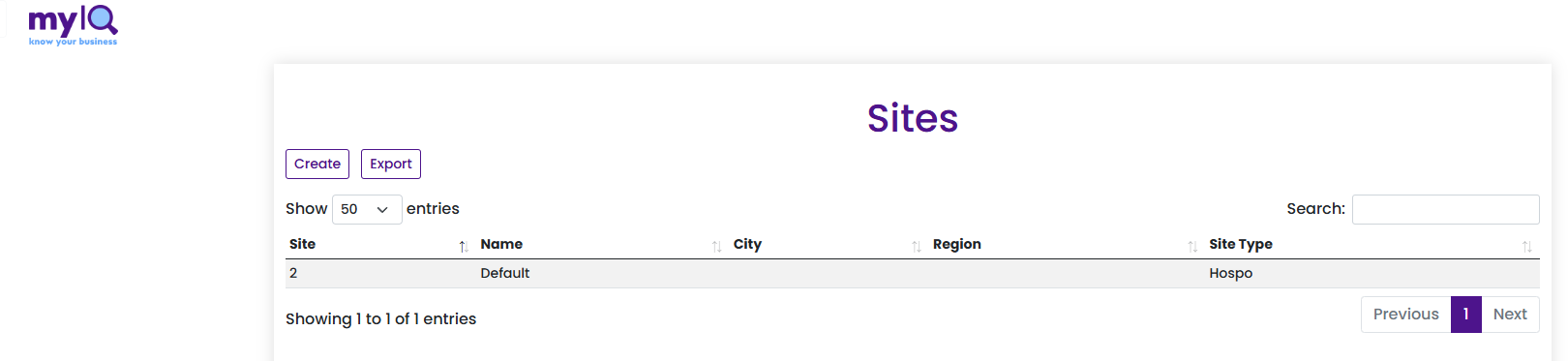
The Sites page.
The register of trading locations, with name, city, region and site type.
Region and site type are what the reports group and benchmark by, so a site with the wrong region will appear in the wrong comparison everywhere.
Create adds a site; Export downloads the list; the search box filters it.
6.2 Products

The Product List by SKU page.
The product master, listed by SKU or PLU — the toggle at the top left switches between them. Columns cover name, brand, supplier, department and club.
Department here is what drives the category groupings you see on Sales by Category and Highest Sellers, so a product coded to the wrong department will report in the wrong place.
Submissions is where product changes awaiting approval sit.
6.3 Targets
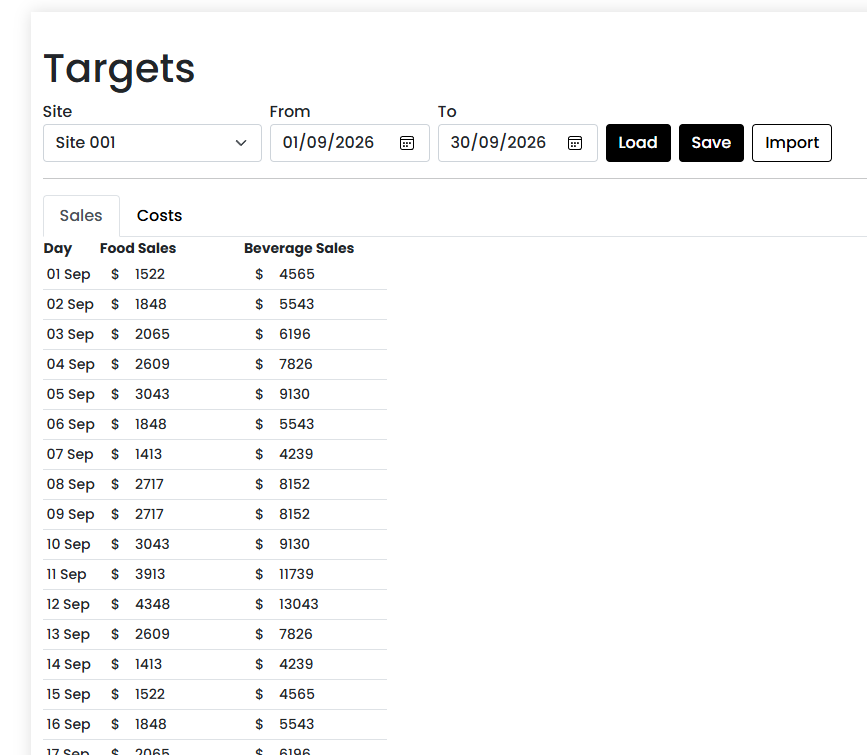
The Targets page.
Where sales and wage cost targets are loaded by a user. Pick a site and a date range, then Load the existing figures, edit them, and Save. Export downloads the current set as a file.
These are the numbers behind every Target, Budget, Target Variance % and Budget Wage Cost figure in the reports. Where no target has been loaded, reports show "Not Set" rather than zero, and fall back to a projection based on the current trading rate.
6.4 Users
The list of people with access, and what each of them can see. The toggles across the top control the role — customer administrator, user, site and site type — and it is these settings that decide which sites appear in a person’s slicers.
If someone reports that a site is missing from their reports, this is where it is fixed.
6.5 Settings
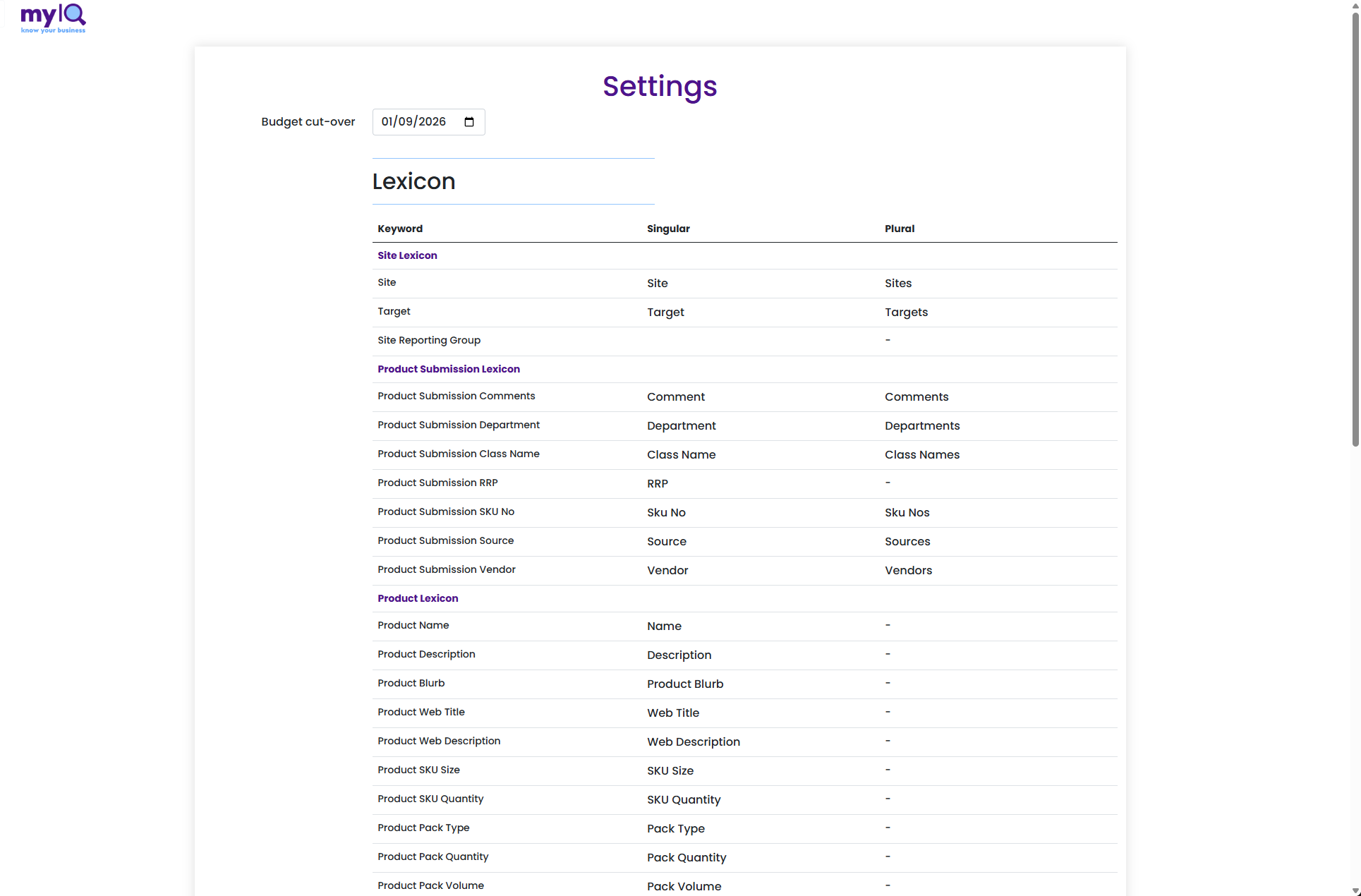
The Settings page, showing the Lexicon.
Budget cut-over date marks the point at which your organisation’s budget basis changed. Reports use it to apply the right set of figures either side of that date.
Lexicon is where the wording used across the application is set. Each keyword has a singular and a plural form — so an organisation that says "Store" rather than "Site", or "Budget" rather than "Target", sees its own vocabulary on every report title, card and slicer. The Product Submission Lexicon and Product Lexicon do the same for the product pages.
Changing a lexicon entry changes the label everywhere, so it is worth agreeing the wording once rather than adjusting it repeatedly.